
Spaces
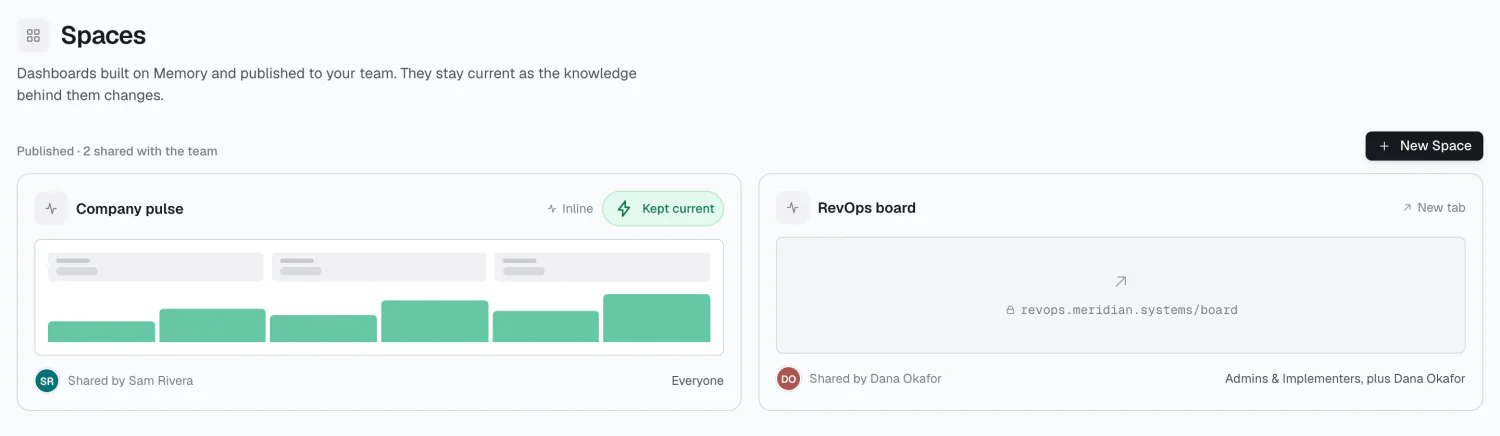
A Space is a published view your team can open from their workspace — a pipeline board, an account health page, a launch checklist — built on Memory and kept current as it changes.
Creating a Space
Section titled “Creating a Space”Today a Space points at an existing URL. Give it a name, the link, and choose how it opens:
- Embed — renders inline, inside the member’s workspace
- Window — opens in its own window
Embed is the default and the right choice for most cases.
Access
Section titled “Access”Spaces use the same baseline-plus-rules model as topics and workflows: a baseline audience, then allow or deny rules for specific groups and people, with deny winning and more specific rules overriding broader ones.
Where members see them
Section titled “Where members see them”Spaces is a panel on the member’s Home, with the full list behind its header link — not a section of its own. Anything published and visible to a member appears in both.
Every Space also states its audience wherever it appears, and a member who opens one can read who else can see it. See Your workspace · Spaces.
2026 Alma