
Running & supervising
Enable and Pause
Section titled “Enable and Pause”A draft is inert. Enable starts it running. Pause stops it — runs stop until you resume. A draft also offers Remove, which deletes it; nothing has run yet, so there’s nothing to unwind.
Before you enable
Section titled “Before you enable”- Check Access → What it can touch for anything irreversible set to Automatic.
- Confirm checkpoints exist where judgment matters.
- Confirm gate instructions tell the reviewer what to check.
- Check ROI.
The Runs tab lists every execution:
| Status | Means |
|---|---|
| Success | Completed |
| Running | In flight |
| Queued | Waiting to start |
| Escalated | Ended in a failure or partial state |
Each row shows cost, timestamp, and which harness version it executed. Expand a row for its step-by-step timeline.
Approval checkpoints
Section titled “Approval checkpoints”When a run reaches a step with an approval checkpoint, it stops. The run row auto-expands and shows who it’s waiting on:
Waiting on Priya · “Approve the exception” · since 2h — the run resumes exactly here once they decide.
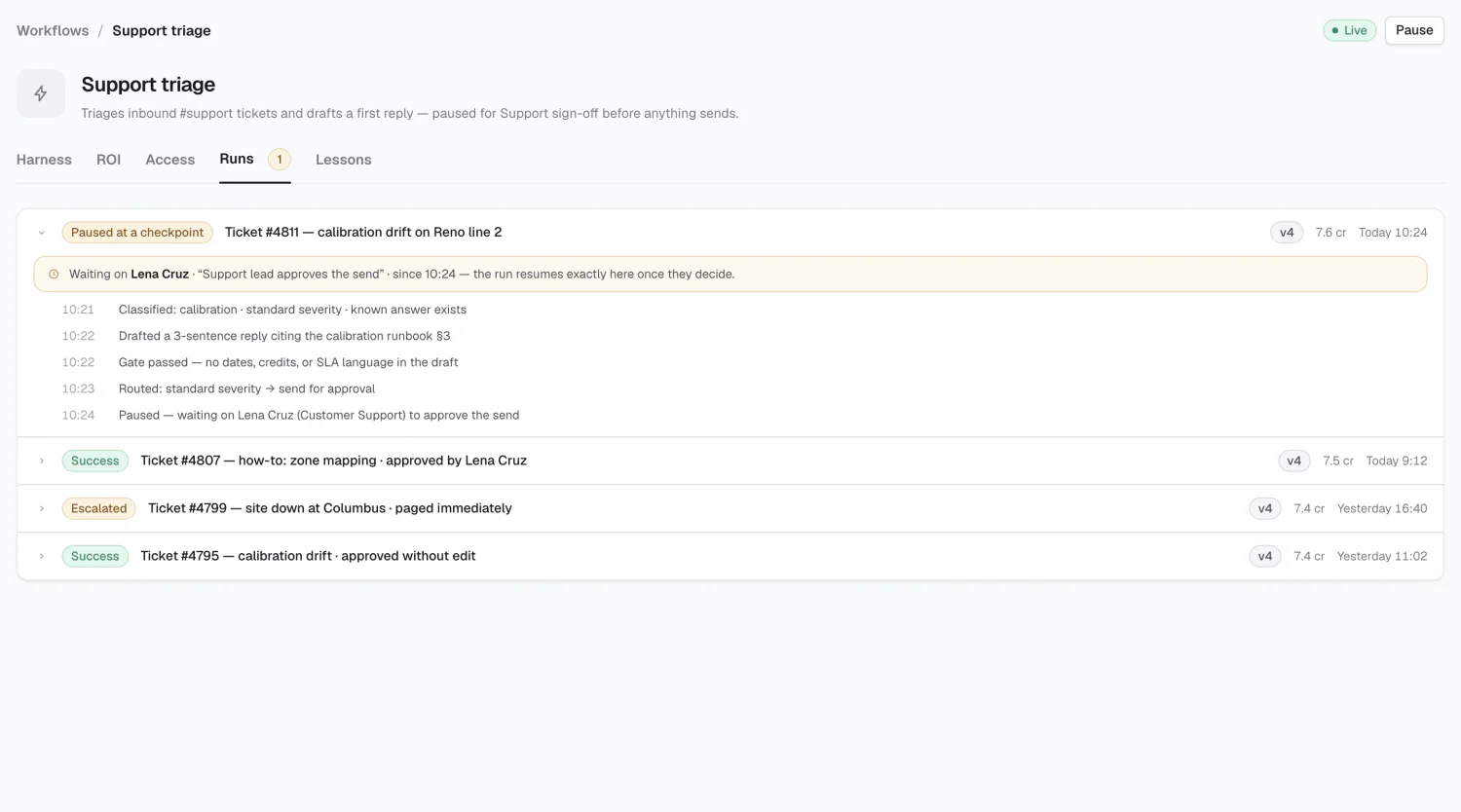
The approver sees the decision in their inbox with context already gathered: what the run did, what it’s proposing, and why. They approve or decline in one click, and the run resumes from that step.
Reading the workflow list
Section titled “Reading the workflow list”A workflow showing Paused has a run waiting on someone. If a workflow sits paused for a while, check whether the checkpoint is routed to the right reviewer and whether the gate instructions make the decision clear.
When something goes wrong
Section titled “When something goes wrong”Press Pause — the workflow reverts to a draft and stops immediately. Check the Runs tab for Escalated rows and expand the timeline to find the failed step. Steps carry a retry count (0–10); a flaky step may just need a retry.
Lessons
Section titled “Lessons”2026 Alma