
Webhooks
Where the API is you pulling, webhooks are Alma pushing — point one at your endpoint and Alma calls it when a workflow finishes.
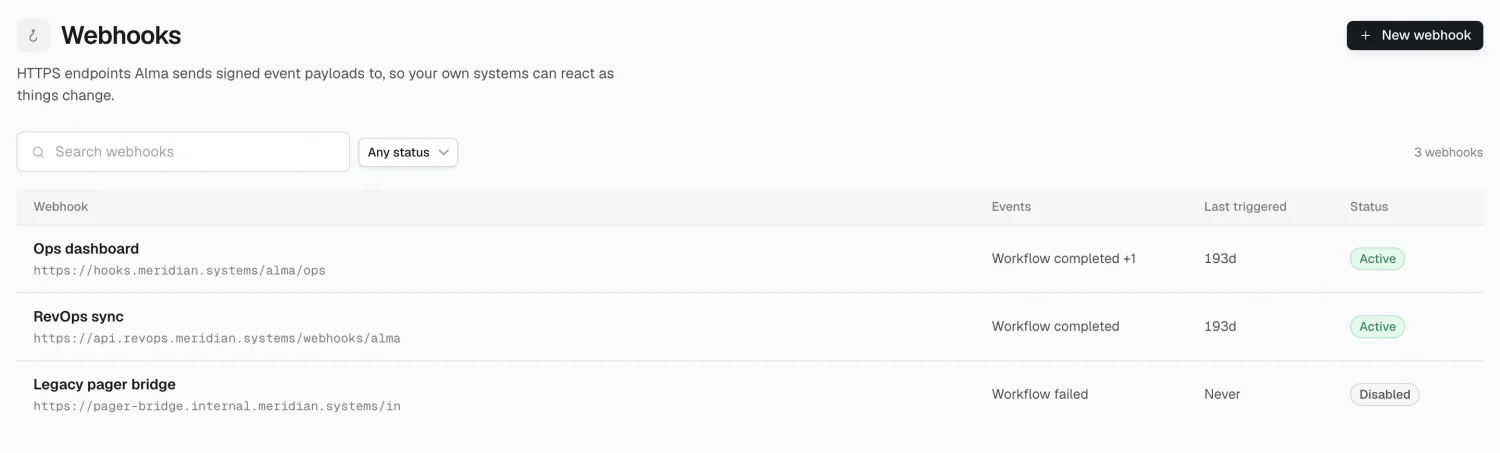
Creating a webhook
Section titled “Creating a webhook”Click New webhook and provide:
- Endpoint URL — must be
https:// - Events — which to subscribe to
- Workflows — which workflows those events may come from. Leave it empty and the endpoint receives every workflow, which is the default.
| Event | Fires when |
|---|---|
workflow.started |
A workflow execution began running |
workflow.completed |
A workflow execution finished successfully |
workflow.failed |
A workflow execution ended in a failed or partial state |
workflow.cancelled |
Somebody stopped a workflow execution before it finished — distinct from failed, since nothing broke |
topic.created |
A topic became visible — created live, or promoted out of review |
topic.updated |
A visible topic changed, archiving included |
topic.deleted |
A visible topic was permanently deleted |
topic_update.created |
A new memory landed on a topic |
approval.requested |
Alma paused for a person — a gate, a tool permission, a question, or a review of something proposed |
approval.resolved |
A pending approval was decided, expired, or cancelled |
connection.expired |
A connected source’s credentials stopped working and need a person to reconnect |
source.<slug> |
Every event Alma receives from that source (source.github.pull_request narrows it) |
The webhook’s name is derived from the URL’s host automatically.
Narrowing to specific workflows
Section titled “Narrowing to specific workflows”By default an endpoint subscribed to workflow.completed hears from every
workflow in the workspace. Pick one or more under Workflows to narrow it,
and the endpoint’s detail page reads the choice back — by name, or All
workflows when you picked none.
Over the API the same narrowing is filters.workflows, a list of workflow ids:
{ "organization_id": "<your workspace id>", "name": "example.com", "url": "https://example.com/alma-hooks", "event_types": ["workflow.completed"], "filters": { "workflows": ["<workflow id>"] }}An empty or absent list means every workflow. Ids must be workflow ids from your
own workspace — anything else is rejected with a 400.
Topic events need a read-subject binding
Section titled “Topic events need a read-subject binding”topic.* and topic_update.* carry knowledge out of the workspace, and topics
can sit in restricted folders — so an endpoint subscribing to them must say
whose visibility it inherits. Bind it to one or more users or groups with
filters.read_subjects, exactly the shape API keys use: the endpoint then
receives events only for topics that at least one of those members can see.
Creating or editing an endpoint with topic events and no binding is rejected
with a 400.
{ "event_types": ["topic.created", "topic_update.created"], "filters": { "read_subjects": [{ "type": "user", "id": "<member id>" }], "topics": ["<topic id>"] }}filters.topics optionally narrows the endpoint to named topics on top of the
binding; empty or absent means every topic the subjects can see. Visibility is
checked when each event fires, so a member who leaves or a group that’s deleted
fails closed rather than freezing the endpoint’s access at configuration time.
An approval that is itself tied to a topic (a topic review, for instance) is
delivered only to endpoints whose binding can see that topic.
Payload
Section titled “Payload”workflow.completed, workflow.failed, and workflow.cancelled deliver:
{ "workflow_id": "...", "execution": { "id": "...", "status": "completed", "trigger_type": "schedule", "response_content": "...", "completion_summary": "...", "error": null, "started_at": "...", "completed_at": "..." }}status tracks the event that delivered it — completed, failed, or
cancelled. workflow.started sends the same shape with only id, status,
trigger_type, and started_at filled, since nothing else exists yet.
Topic events deliver the topic’s id, name, and status; topic_update.created
adds the memory’s own text and metadata. Approval events deliver the
checkpoint’s id, its kind (for instance pending_action:gate_approval, which
is also how the fired type is narrowed: approval.requested.gate_approval),
the entity it concerns, a request object with what’s actually being asked —
the gate’s instructions, the tool call awaiting permission, the questions, or
the review document, depending on the kind — and, on resolve, the outcome and
who decided. connection.expired names the source, the connection, and the
reason.
Headers
Section titled “Headers”Content-Type: application/jsonUser-Agent: Alma-Webhooks/1X-Alma-Event: workflow.completedX-Alma-Delivery-Id: <delivery id>X-Alma-Timestamp: <ms epoch>X-Alma-Signature: sha256=<hex HMAC-SHA256>Verifying the signature
Section titled “Verifying the signature”The signature covers {timestamp}.{body}, not the body alone — signing the body
alone will never match. This also lets you reject replays: check that
X-Alma-Timestamp is recent before trusting the payload.
import { createHmac, timingSafeEqual } from "node:crypto";
function verify(rawBody, headers, secret) {  const timestamp = headers["x-alma-timestamp"];  const signature = headers["x-alma-signature"];
  if (Math.abs(Date.now() - Number(timestamp)) > 5 * 60 * 1000) return false;
  const expected =    "sha256=" +    createHmac("sha256", secret)      .update(`${timestamp}.${rawBody}`)      .digest("hex");
  const a = Buffer.from(signature);  const b = Buffer.from(expected);  return a.length === b.length && timingSafeEqual(a, b);}
Secrets are prefixed whsec_.
Delivery
Section titled “Delivery”Alma retries failed deliveries 5 times with exponential backoff. Any non-2xx response counts as a failure. Timeout is 10 seconds.
Redirects aren’t followed — a 3xx counts as a failed attempt, since following one could bounce the delivery somewhere it shouldn’t go. Return a 2xx quickly and do your work afterward.
Auto-disable
Section titled “Auto-disable”15 consecutive failures disables an endpoint automatically, with the reason shown on its detail page. Fix the endpoint, then click Enable. The counter resets on any success.
Monitoring
Section titled “Monitoring”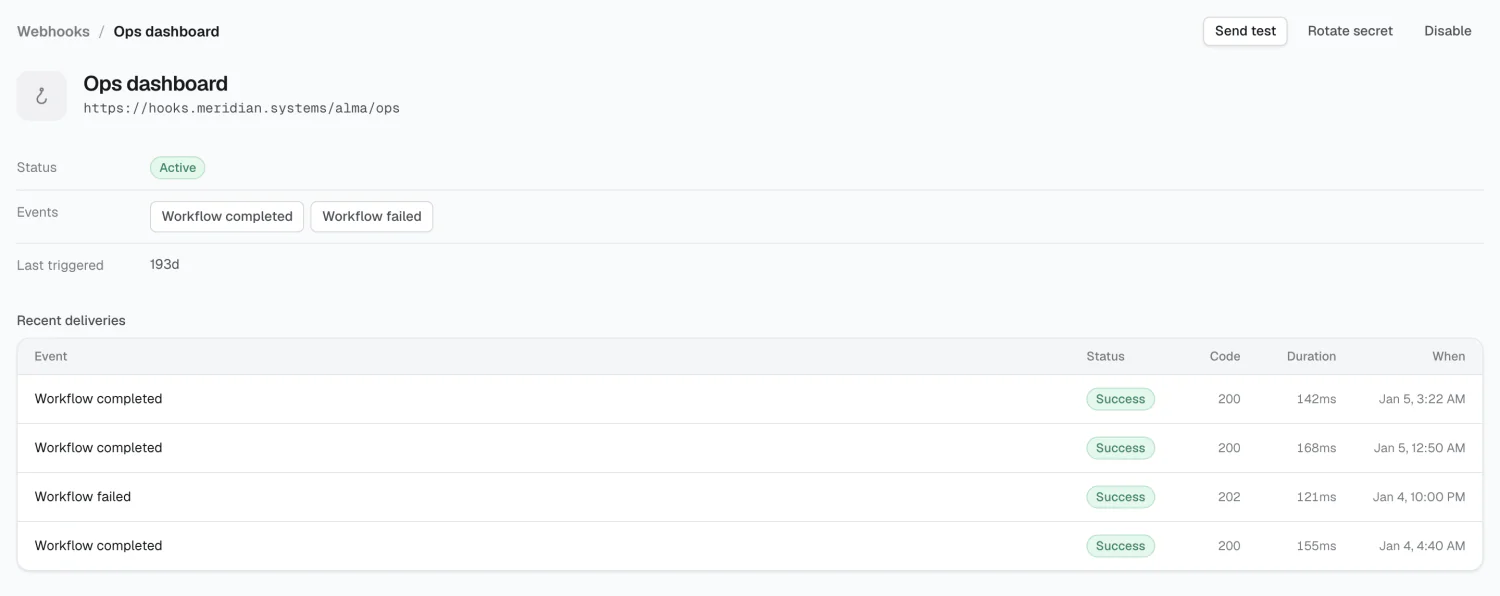
The detail page has Send test, Rotate secret, and Disable/Enable, plus a Recent deliveries table with event, status, code, duration, and any error text.
URL restrictions
Section titled “URL restrictions”Endpoints must be https:// and publicly addressable. Alma rejects localhost,
.local, .internal, and private or link-local IP ranges, both at creation and
on every send.
Limits
Section titled “Limits”A workspace can have 20 endpoints.
2026 Alma