
Connections
Connections determine what Alma can see and where it can act. Every workflow you build depends on the connections you set up here.
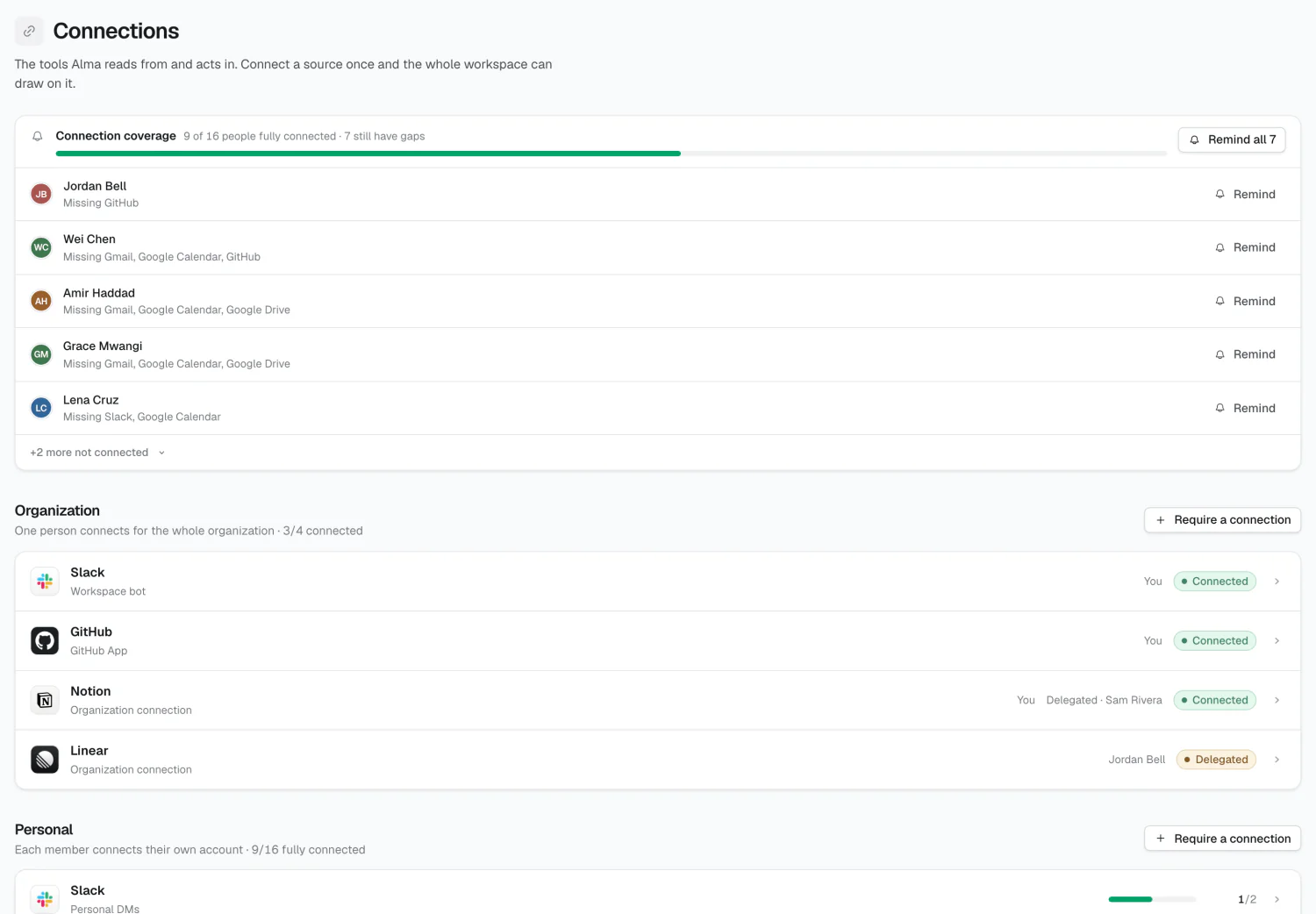
Organization and personal connections
Section titled “Organization and personal connections”Organization connections are connected once, by one person, on behalf of the whole company — a shared Slack workspace, the company GitHub org, your Linear workspace.
Personal connections are an individual’s own account — their Gmail, their calendar. Only they can connect it. You can require it, and Alma will ask them, but you can’t connect it on their behalf.
The lists show requirements, not a catalog
Section titled “The lists show requirements, not a catalog”The two lists on this page show what your org has chosen to require — not everything Alma supports.
An entry appears under Organization because someone required it for the company. An entry appears under Personal because someone — a person, a group, or everyone — is required to connect it.
To add something, use Require a connection. The picker shows the full catalog.
Coverage and reminders
Section titled “Coverage and reminders”The coverage card tracks personal-connection rollout: how many required people have connected, a progress bar, and who’s outstanding. It appears only while gaps exist.
Remind and Remind all send real reminder emails. Alma re-checks each person’s connection status before sending, so someone who just connected isn’t nagged. Anyone reminded in the last 7 days is marked as recently reminded.
Delegation
Section titled “Delegation”If the person setting up Alma doesn’t own an account, delegate it to the teammate who does. They get an email, connect it from their own settings, and their row shows Pending until they finish, then Connected.
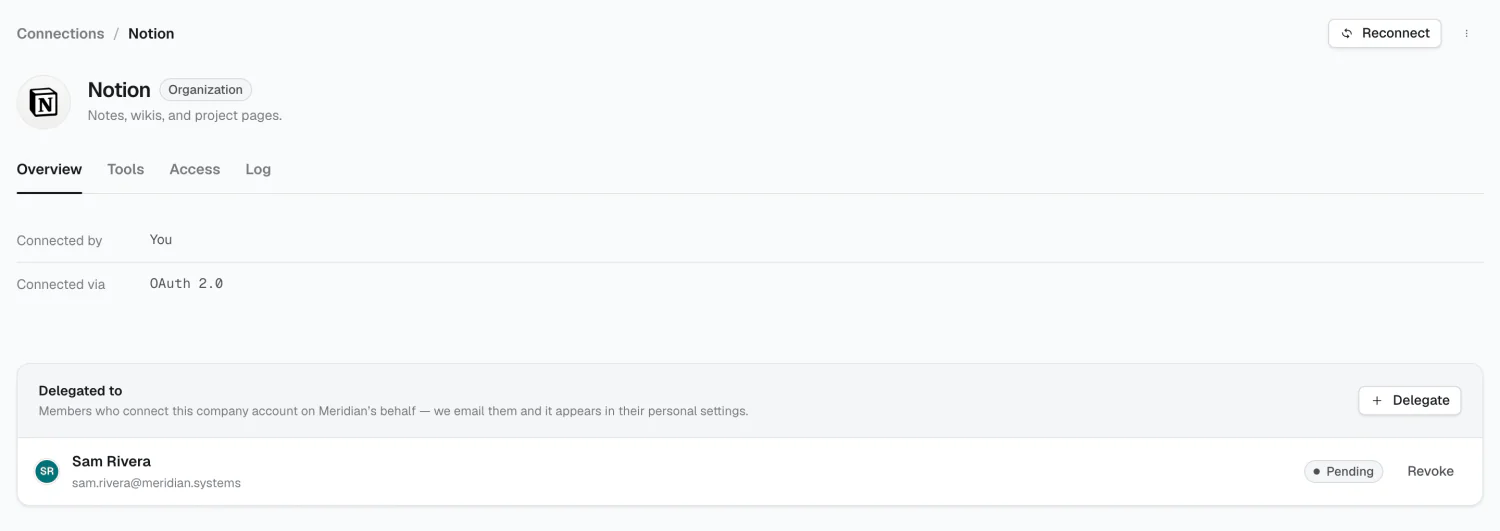
Delegations can be revoked at any time.
Connection tabs
Section titled “Connection tabs”| Tab | Org | Personal | Purpose |
|---|---|---|---|
| Overview | ✓ | ✓ | Who connected it, delegation, coverage |
| People | ✓ | Who’s required individually | |
| Groups | ✓ | Which groups require it | |
| Tools | ✓ | ✓ | What Alma can do with it, and who’s allowed |
| Access | ✓ | ✓ | The rules that decide that |
| Log | ✓ | ✓ | Every call Alma has made through it |
People and Groups exist only for personal connections, since an org connection has a single account.
Disconnecting
Section titled “Disconnecting”Disconnect stops Alma reading through that account immediately. You can reconnect any time.
Remove from required clears every requirement aimed at that connection — org, group, and individual — and removes it from the list.
2026 Alma