
ROI
The ROI tab prices a workflow against the manual work it replaces, so you can check whether a workflow is worth building before you build it.
Setting a baseline
Section titled “Setting a baseline”Click Set up ROI economics to open the baseline editor.
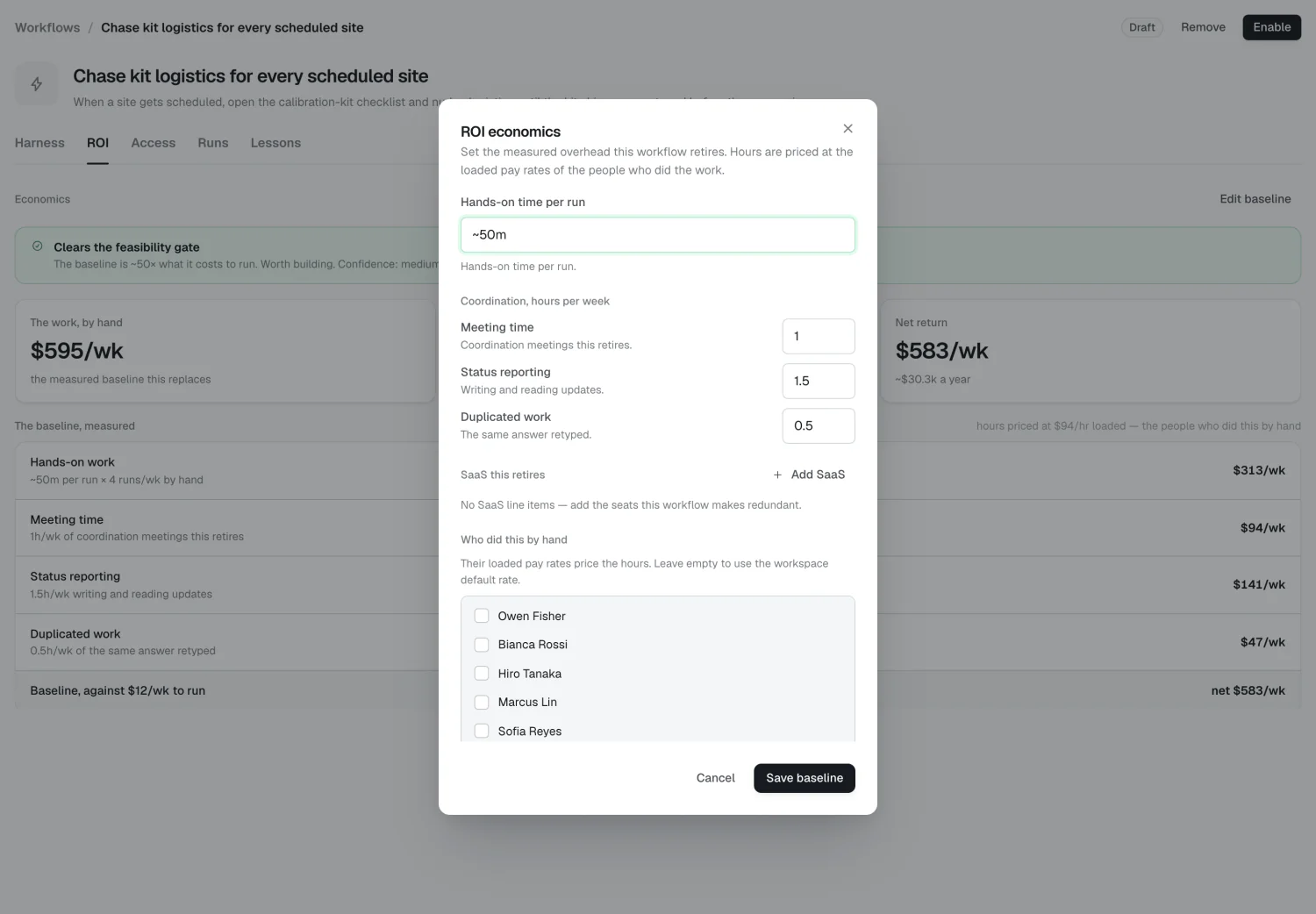
| Field | Captures |
|---|---|
| Hands-on time per run | The actual doing, per run — ~45m |
| Meeting time | Coordination meetings this retires, hours/week |
| Status reporting | Writing and reading updates, hours/week |
| Duplicated work | The same answer retyped, hours/week |
| SaaS this retires | Tool, seats, and $/seat/month |
| Who did this by hand | The people whose rates price the hours |
The three coordination fields are easy to forget. A 45-minute report can also cost a 30-minute status meeting and three people re-reading it — include that.
Loaded rates
Section titled “Loaded rates”Rates cascade, most specific first:
- The person’s own rate — see People
- Their group’s rate — see Groups
- The workspace default — see Workspace
- A built-in $90/hr
Rates are visible only inside the Console.
What Alma measures
Section titled “What Alma measures”You supply the baseline. Alma measures:
- Runs per week — actual executions over the trailing 7 days
- Cost to run — the metered cost of those runs: model and tool calls
The three numbers
Section titled “The three numbers”- The work, by hand — the measured baseline this replaces, per week
- Cost to run — model + tool calls
- Net return — the difference, per week, with an annualized figure
Feasibility gate
Section titled “Feasibility gate”| Ratio (baseline ÷ cost) | Verdict |
|---|---|
| 3× or more | Clears the feasibility gate — worth building |
| 1.5×–3× | Thin margin — worth building if time saved matters more than dollars |
| Under 1.5× | Doesn’t clear the gate — don’t build this yet |
A workflow that barely pays for itself in dollars can still be worth building if it removes an interruption or a task everyone hates. The ratio informs the decision; it doesn’t make it.
Where the numbers come from
Section titled “Where the numbers come from”Hands-on time is drawn from the manual work this workflow was proposed from; meeting, reporting, and duplicate hours are measured from calendars and connected tools. Run volume comes from source history. Hours are priced at loaded rates from the directory — never shown outside the Console. Cost to run is metered from every run’s model and tool calls.
2026 Alma