
Requiring connections
A requirement is an edge that says: this subject must connect this tool.
The three subjects
Section titled “The three subjects”| Subject | Means |
|---|---|
| Organization | The company uses this shared account |
| Group | Everyone in this group must connect their own |
| Person | This specific person must connect their own |
Requiring a personal connection of a group is durable — someone who joins Sales six months from now is asked automatically. Requiring it of a person covers cases a group doesn’t capture.
Adding a requirement
Section titled “Adding a requirement”From Connections, click Require a connection.
Under Organization, pick the tool — the company now requires it.
Under Personal, pick the tool, then choose Everyone or Specific people & groups. “Everyone” writes one org-wide edge; “specific” writes one edge per group or person selected.
Only admins and implementors can create or remove requirements.
Provenance
Section titled “Provenance”A person can be asked for the same connection through several routes. Alma shows why, in order of specificity:
- Required individually
- Individually · also via
{group} - via
{group}— inherited from a group - Required of everyone
On a connection’s People tab, the ✕ removes only the individual
requirement. If a group also requires it, the person is still asked — edit the
group to stop that.
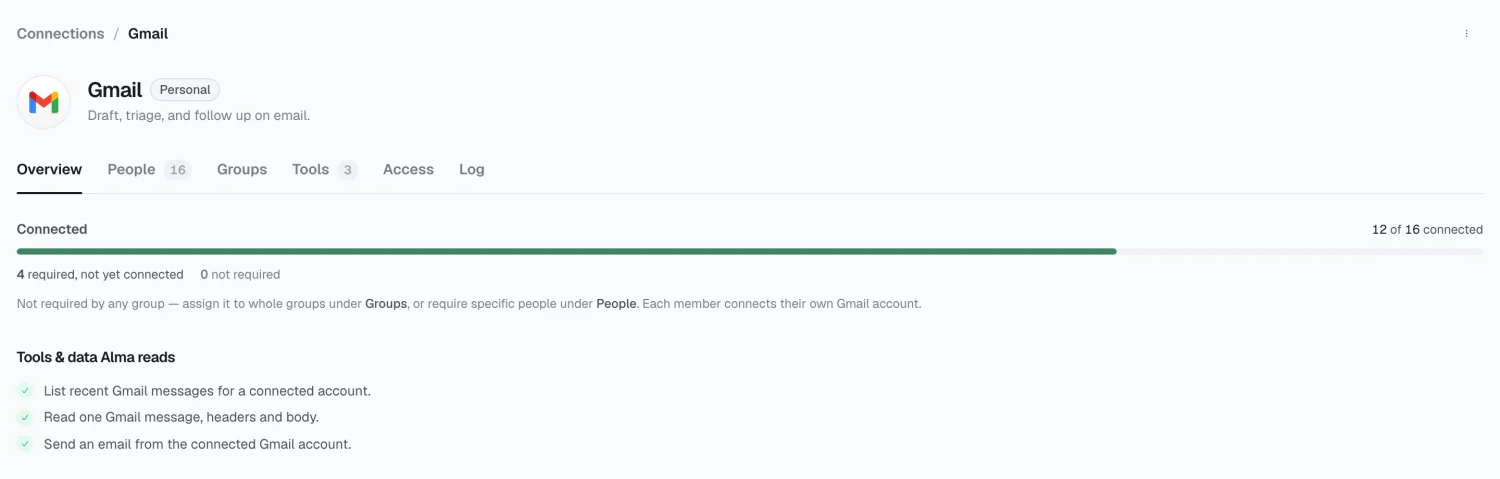
People and Groups tabs
Section titled “People and Groups tabs”Personal connections get two extra tabs.
People lists everyone required to connect, with status Connected or Awaiting. Filter by status, require it of someone new, or stop requiring it individually.
Groups lists the groups that require it, each with its rollout — how many members have connected.
Coverage and reminders
Section titled “Coverage and reminders”The coverage card on Connections shows connected-vs-required, a
progress bar, and up to five outstanding people with a +N more.
Remind emails one person. Remind all opens a dialog to pick who gets nudged. Both are real: Alma re-checks each person’s connection state before sending, so anyone who connected in the meantime is skipped. Reminders sent in the last 7 days are flagged as recent.
Requirements from person or group pages
Section titled “Requirements from person or group pages”The same edges are editable from either direction:
- A person’s detail page has a Connections panel.
- A group’s detail page has a connection requirements panel.
2026 Alma