
Groups
A group is a handle you can point things at instead of naming individuals — and it keeps working as people join and leave.
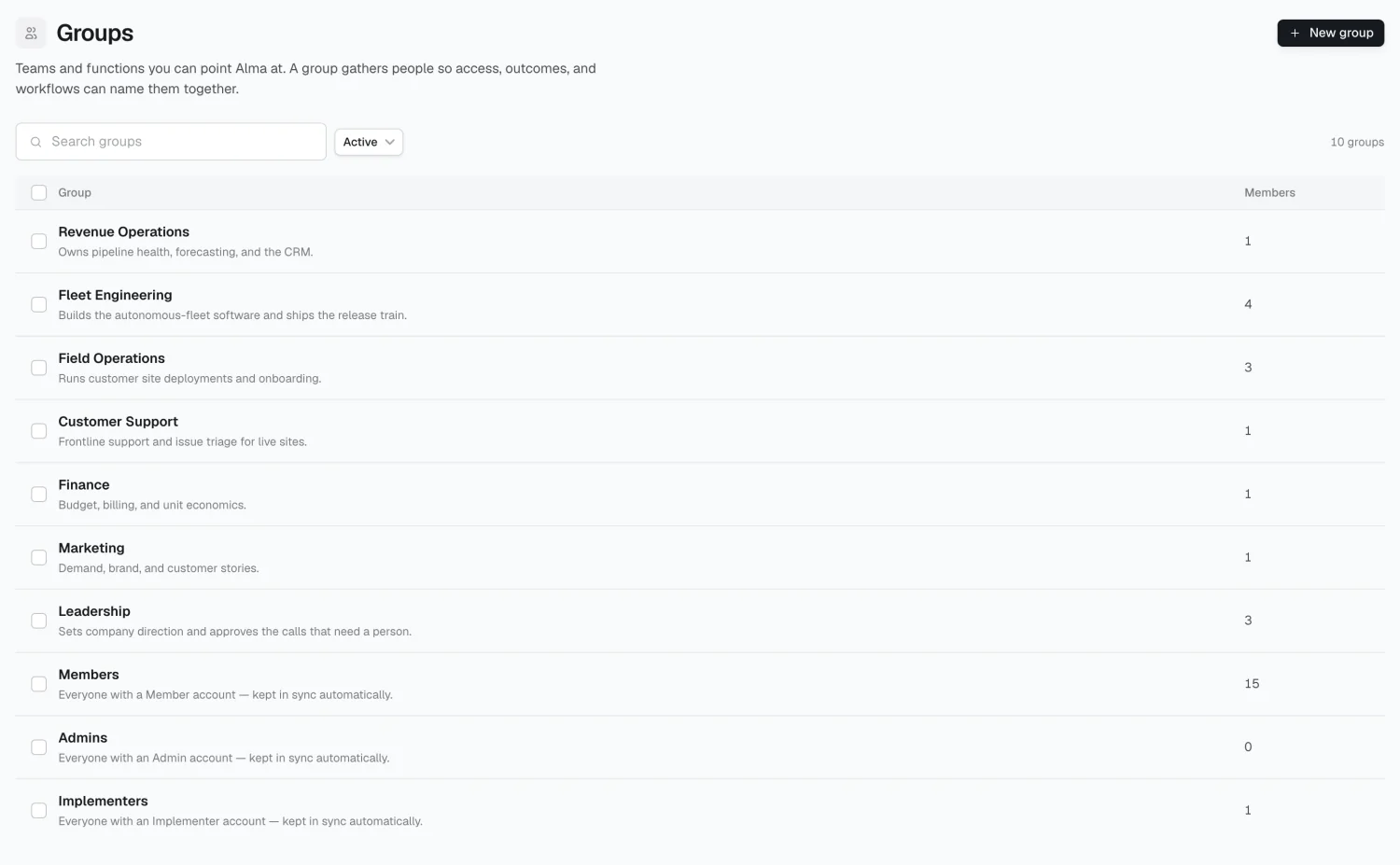
What groups do
Section titled “What groups do”- Connection requirements — require a tool of everyone in a group.
- Outcome ownership — make a group accountable for an outcome.
- Loaded pay rates — a group rate prices ROI for members without their own rate.
- Access rules — tools, topics, workflows, and spaces can all name a group.
Groups are flat (no nesting) and names must be unique.
Creating and organizing
Section titled “Creating and organizing”New group takes a name. Add a description from the detail page — Alma reads it.
Groups have three statuses, shown as tabs: Active, Suggested (proposed by Alma), and Archived. A suggested group shows Accept and Reject; accepting makes it active, rejecting archives it.
A group’s detail page
Section titled “A group’s detail page”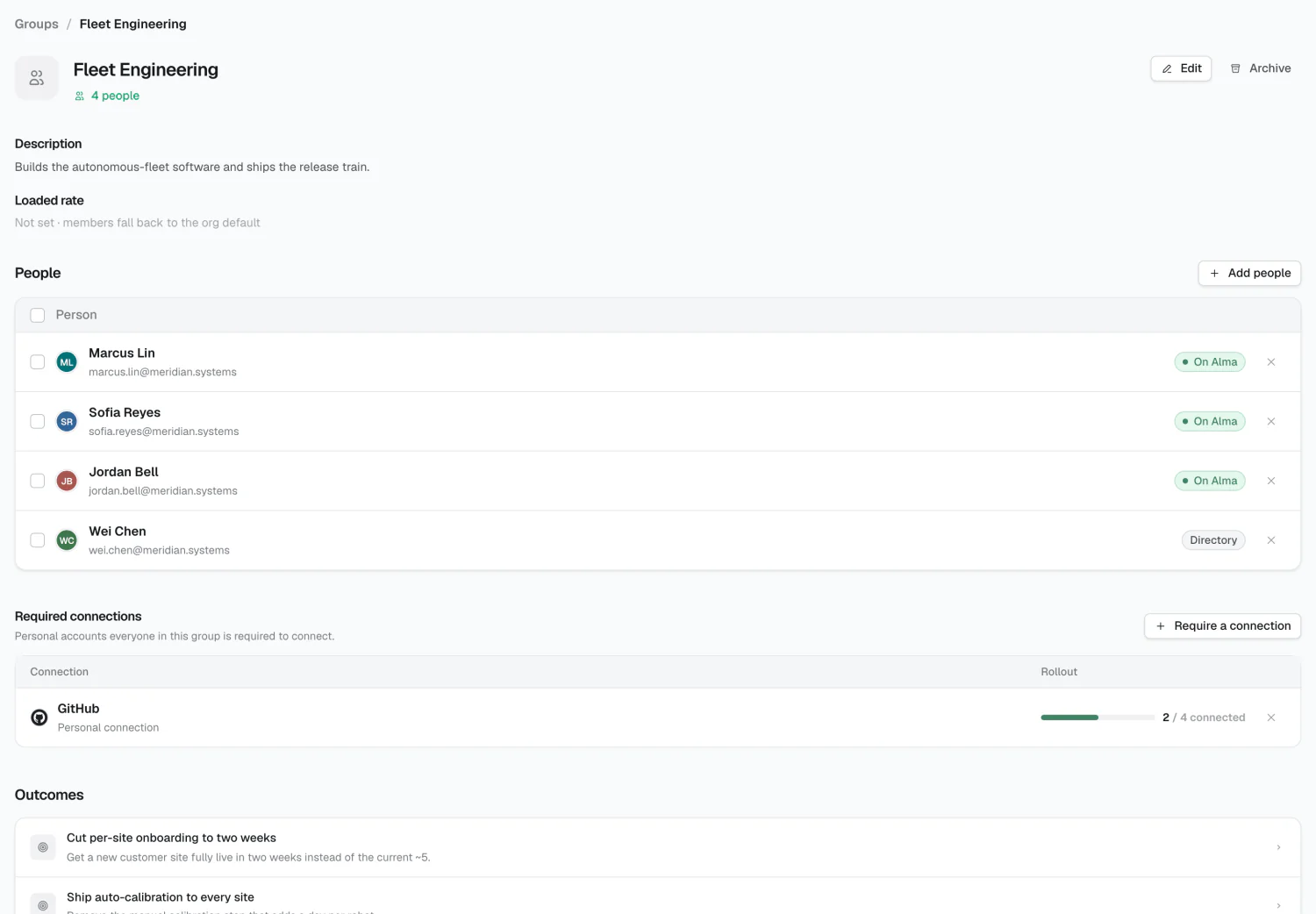
- People — add via picker, remove per row, or bulk-move to another group
- Connection requirements — personal accounts everyone in the group must connect
- Outcomes — read-only; assign this from the outcome’s Accountability tab
- Loaded rate — the hourly rate applied to members without their own rate
Group rates are usually the right level of granularity: quick to set, and accurate enough for most ROI calculations.
Merging
Section titled “Merging”Select multiple groups and click Merge to move everyone into the survivor and delete the empty sources.
Reporting hints
Section titled “Reporting hints”A group can record which groups it might report into. This is a hint for the org chart, not a constraint — actual reporting lines live on each person.
2026 Alma