
Members
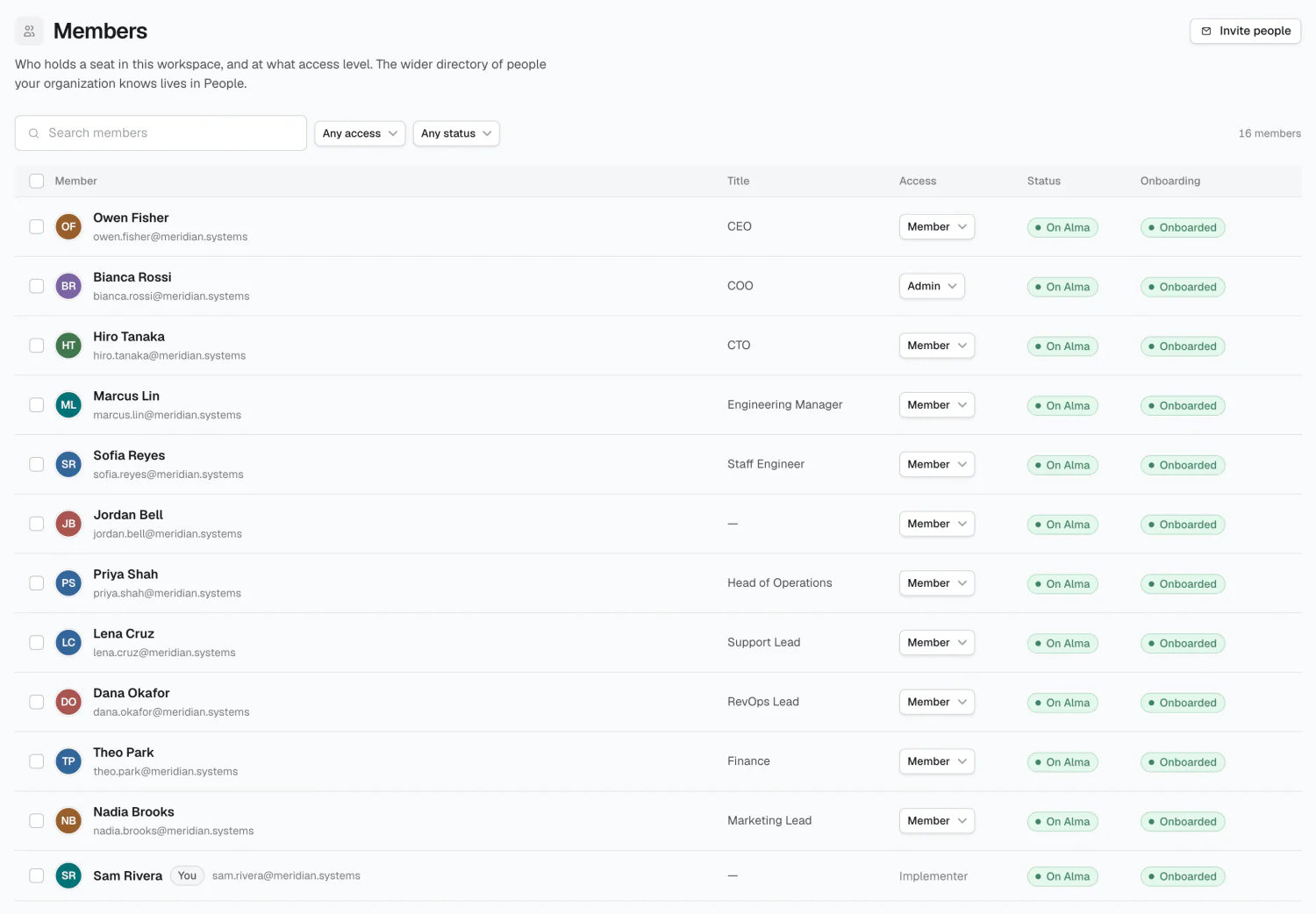
A Member holds a seat and can sign in — different from a Person, who’s a directory record without an account. Removing a seat frees it but keeps the directory Person, along with their groups, rates, and reporting line.
Each member row links back to their Person, matched by email.
Access levels
Section titled “Access levels”| Level | What they can do |
|---|---|
| Member | Connects their own accounts, answers Alma’s questions, runs their workflows |
| Admin | Everything a Member does, plus Radar — a live read on ROI, coverage & AI use |
| Implementer | Full control of the implementation — Sources, Memory, Workflows, Security |
What’s enforced today
Section titled “What’s enforced today”The Console is gated to Admin and Implementer; Members can’t reach it. Beyond that gate, Admin and Implementer are currently equivalent — anything an Implementer can do in the Console, an Admin can also do, including viewing and editing compensation despite its Implementers-only label. Treat Admin as full administrative access.
Inviting
Section titled “Inviting”Invite takes an email and an access level. Invitations expire after 7 days.
The access level carries all three tiers — Member, Admin and Implementer — so an invite can land someone at Implementer without promoting them afterwards.
Select pending invites to Re-send or Remove.
Onboarding
Section titled “Onboarding”The Onboarding column shows whether a member has finished their first-run page; someone who hasn’t is sent there on every sign-in. Mark onboarded forces it complete — there’s no un-onboard.
Your own seat
Section titled “Your own seat”Your row is badged You, can’t be selected, and has no access dropdown.
Members vs. People
Section titled “Members vs. People”Someone Alma should know about needs a Person record. Someone who should use Alma needs a Member seat. Most companies have far more of the first than the second.
2026 Alma