
People
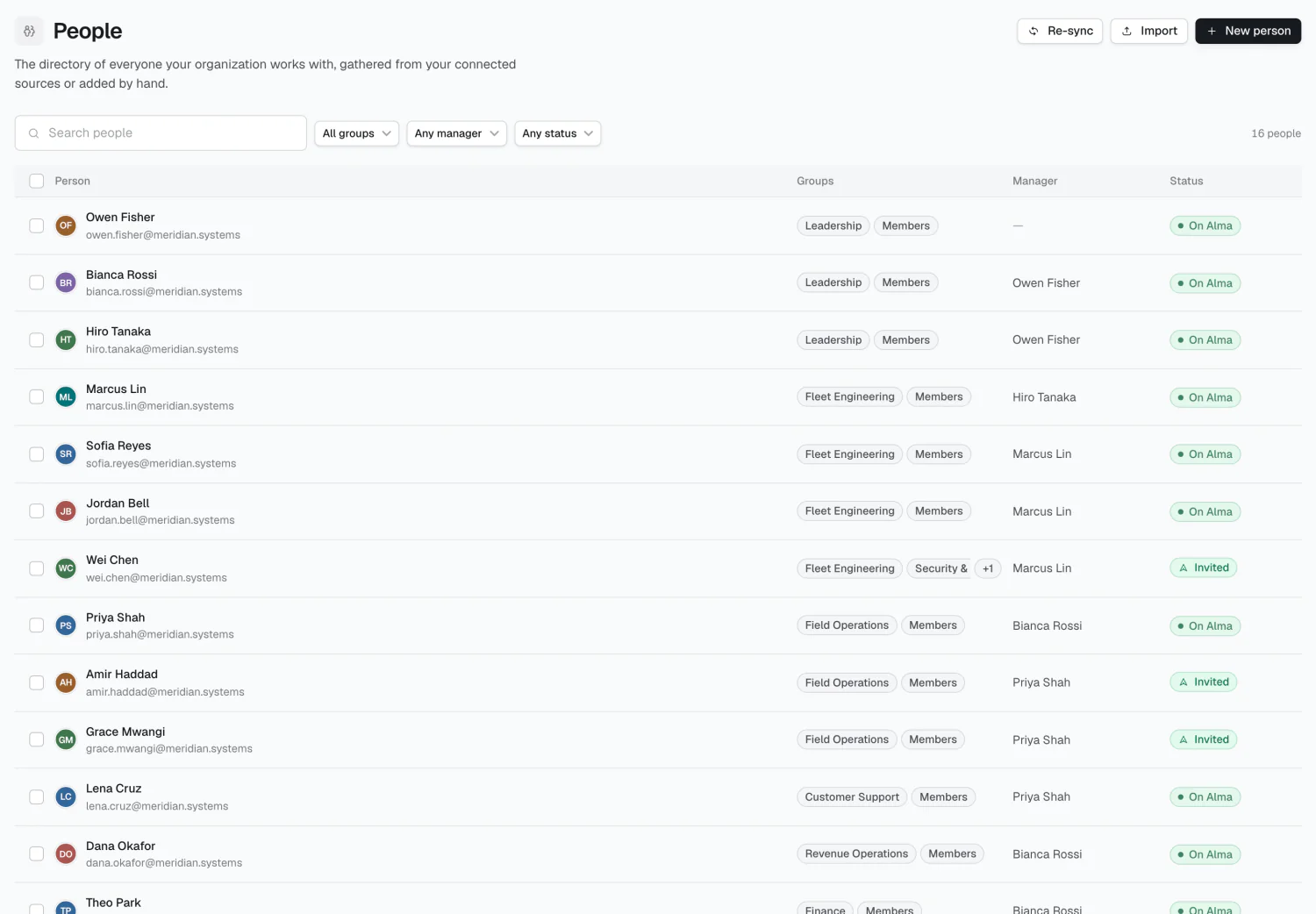
The People directory holds everyone your organization works with — gathered from connected sources or added by hand.
People vs. Members
Section titled “People vs. Members”| Person | Member | |
|---|---|---|
| What it is | A directory entry | A seat in the workspace |
| Can sign in? | No | Yes |
| Costs a seat? | No | Yes |
| Lives in | Alignment → People | Administration → Members |
A Person is anyone working at or for the company — employees, contractors, advisors, board members. It’s a record, not an account. Customers and prospects belong in Memory as topics, not here.
A Member holds a seat and can sign in. Most People aren’t Members.
Linked and shadow rows
Section titled “Linked and shadow rows”A Person is linked when they have an Alma account, and a shadow when they don’t. Promoting shadow to linked happens automatically on sign-in; groups, reporting lines, and rates all carry over.
| Badge | Means |
|---|---|
| On Alma | Linked to a real profile |
| Invited | An unclaimed invite exists for their email |
| Not invited | No invite has been sent |
Adding people
Section titled “Adding people”- New person — add one at a time.
- Import — paste a list (
Alex Kim <alex@acme.com>) or upload a CSV/TSV. - Research campaigns propose people from your sources, arriving as suggested.
Finding people
Section titled “Finding people”Filter by group, manager, or status, and search by name. Bulk-select rows to add or remove a group across multiple people.
A person’s detail page
Section titled “A person’s detail page”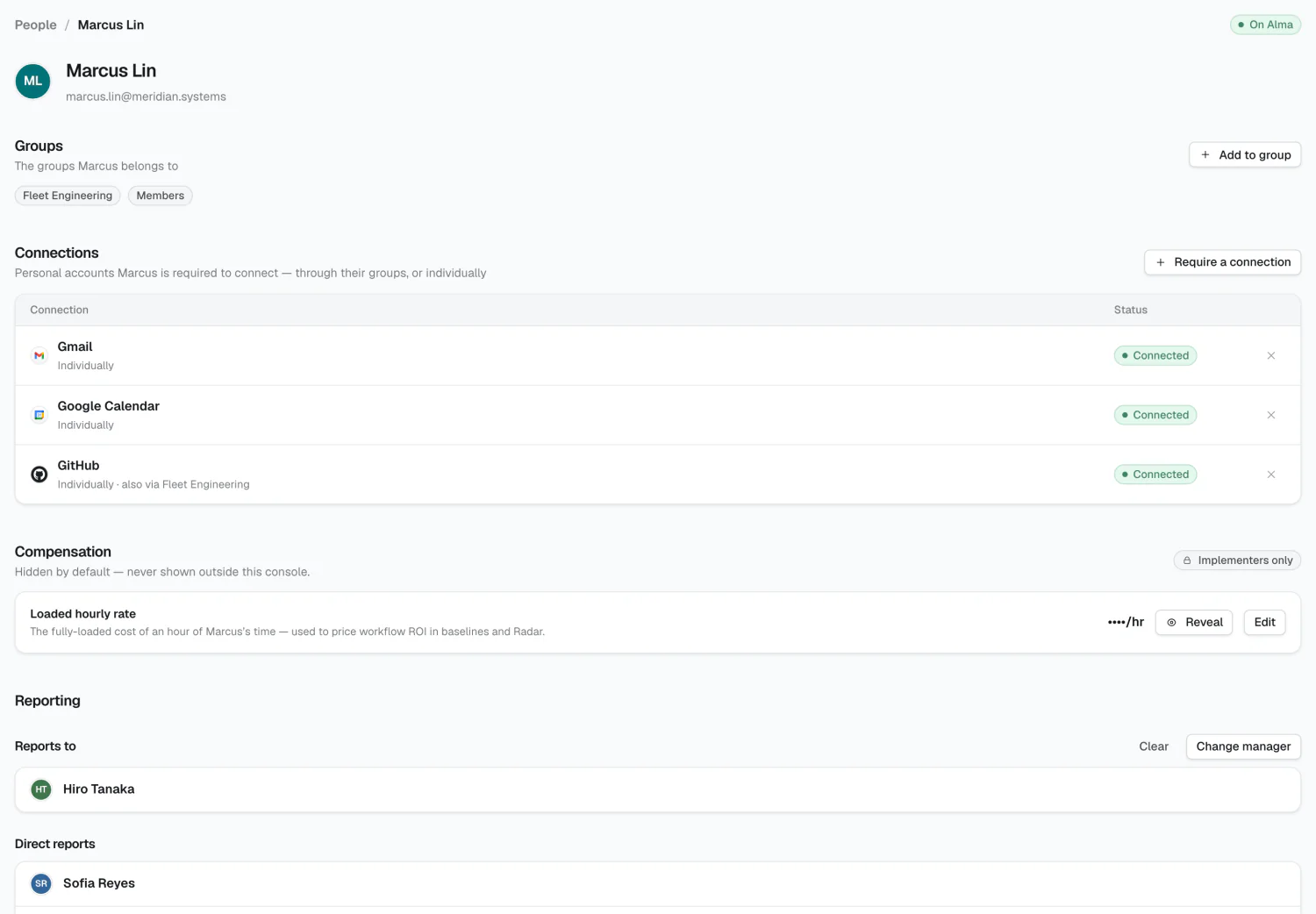
- Groups — which they belong to
- Connections — required personal accounts and their status
- Reporting — who they report to
- Compensation — their loaded hourly rate
You can only remove an individual connection requirement here. One inherited from a group must be changed on the group.
Loaded rates
Section titled “Loaded rates”Loaded rates price ROI calculations. Rates cascade, most specific first:
- The person’s rate
- Their group’s rate
- The workspace default
- A built-in $90/hr
Set the workspace default, override for groups whose cost differs materially, and set individuals only where it matters.
2026 Alma