
Agents
This section covers the work Alma actually does: workflows, the research campaigns that propose them, and the skills they load.
Workflows
Section titled “Workflows”A workflow is one recurring job, built as a graph: something triggers it, a series of steps does the work, and it lands on a result.
A single workflow can mix an AI step where judgment helps, a deterministic step where it must be exact, and a human checkpoint where someone should decide.
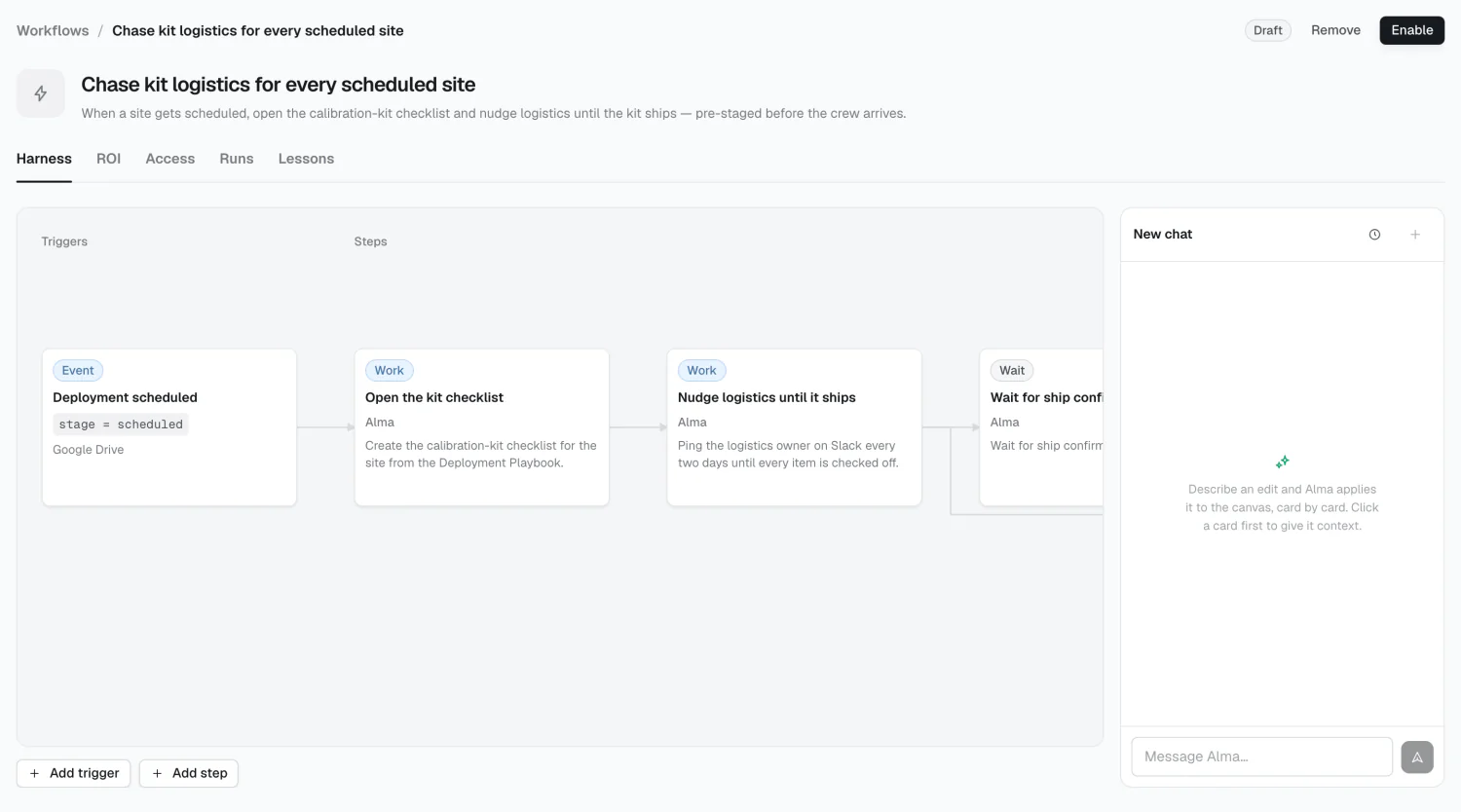
Workflow states
Section titled “Workflow states”| State | Means |
|---|---|
| Proposed | Alma suggested it; not yet accepted |
| Draft | Accepted, but inert — doesn’t run |
| Live | Running |
| Paused | Running, with a step waiting on a person |
Paused isn’t a state you set — it means a run has hit a checkpoint. The Pause button in the header is different: it stops the workflow by returning it to a draft.
Research
Section titled “Research”A research campaign reads your connected sources, interviews the people who’d know, and drafts a proposal — outcomes, workflows, or memory — that you shape and publish.
Skills
Section titled “Skills”A skill is a reusable set of instructions — how to write a renewal brief, what belongs in an incident retro. Workflows load a skill when the task calls for it, instead of each workflow carrying its own copy.
How the pieces connect
Section titled “How the pieces connect”A research campaign proposes a workflow. The workflow’s steps read Memory for context and load skills for know-how. Its checkpoints route to people and groups from Alignment. Its tools are governed by access rules on Connections. Its runs draw credits, and its ROI is priced against the loaded rates of the people it replaces.
2026 Alma