
Outcomes
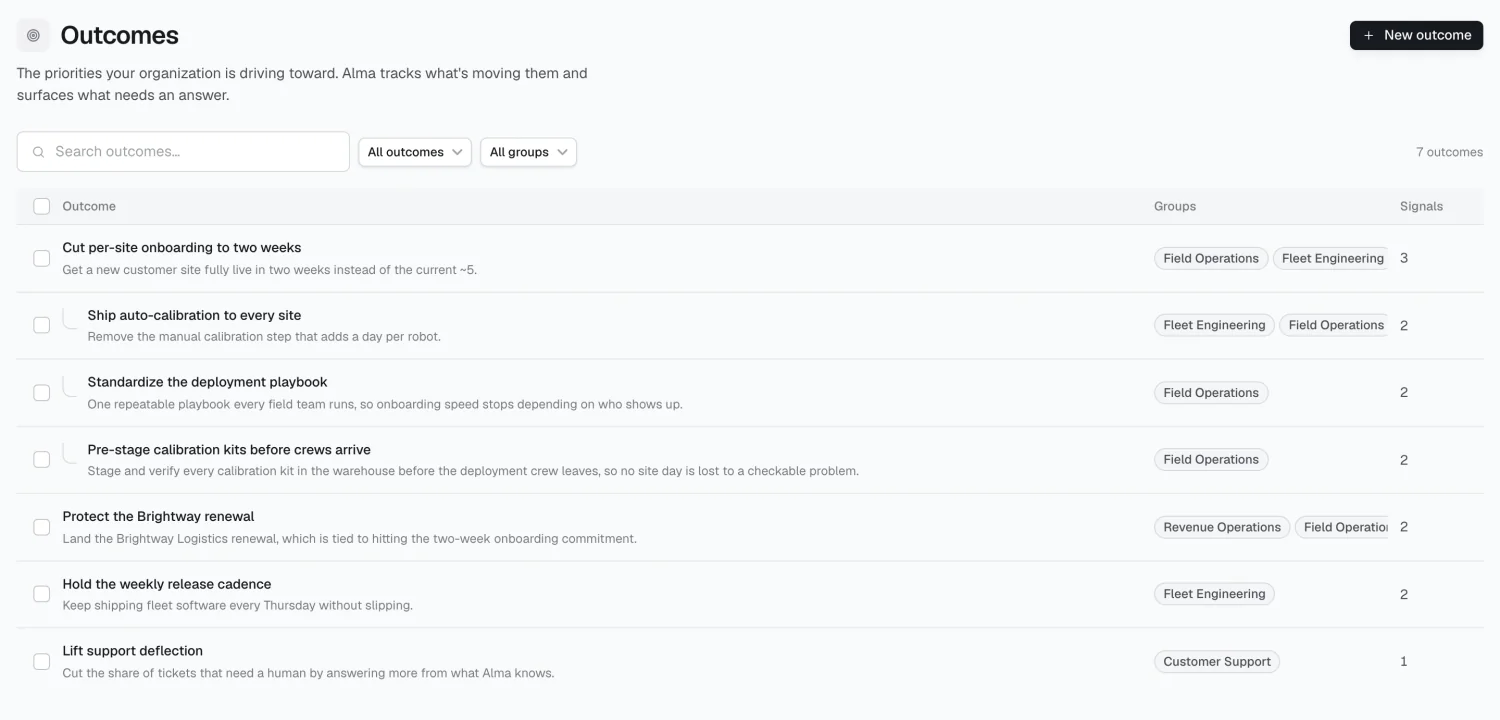
An outcome is an explicit company priority — cut onboarding to two weeks, hold gross retention above 95%. Outcomes tell Alma what matters, so it can say whether things are going well, not just what’s happening.
Getting outcomes in
Section titled “Getting outcomes in”Research outcomes (recommended) runs a campaign scoped to outcomes: Alma reads your sources, interviews the people who’d know, and drafts a map for you to shape and publish.
Add manually if you already know what your outcomes are — you can attach groups and progress signals afterward.
Nesting
Section titled “Nesting”Outcomes nest one level, with children shown under a parent. Searching or filtering flattens the tree.
Progress signals
Section titled “Progress signals”A signal has two parts: what to look for, and which sources to watch — for example, “onboarding tickets resolved within 5 days,” watched across Linear and Gmail.
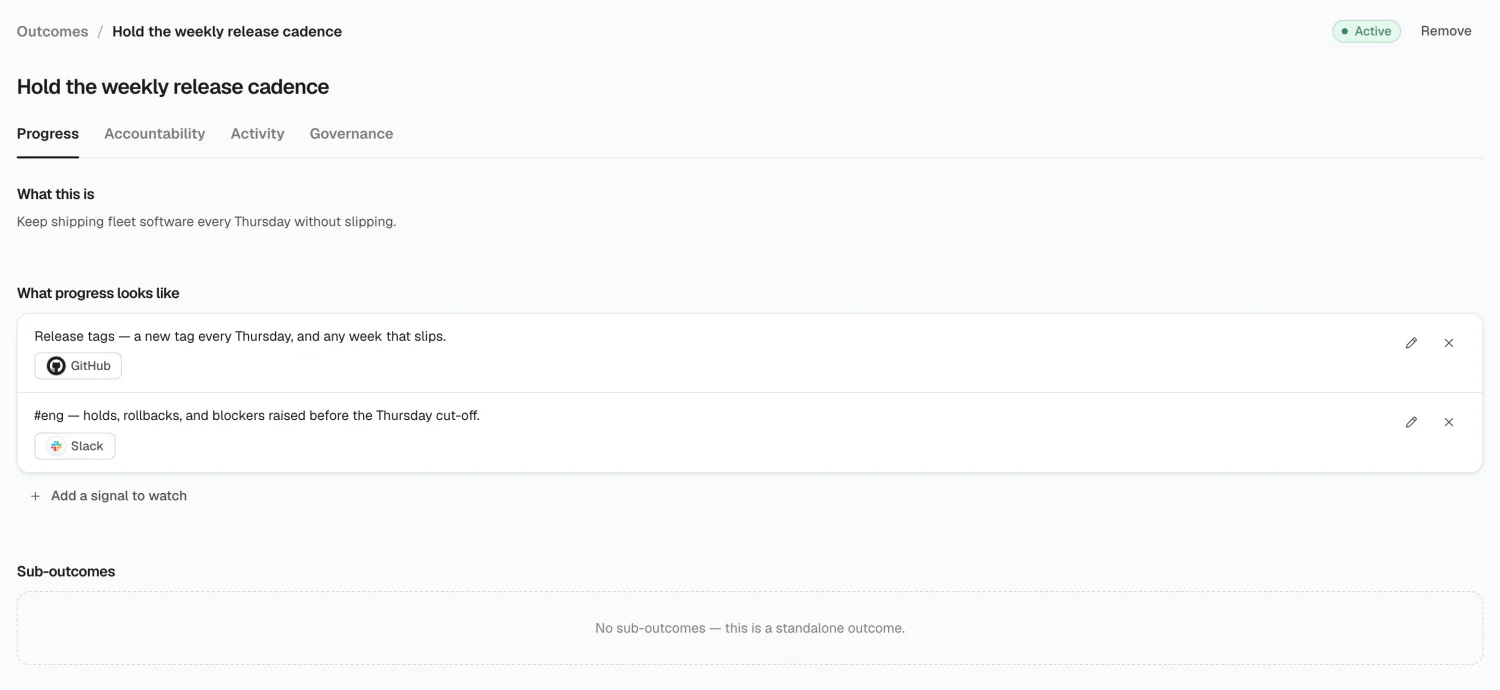
Both parts are required — you can’t save a signal without at least one source. Sources come from your real connections, not free text.
Accountability
Section titled “Accountability”Two lists — Groups and People — each row naming one or the other, never both.
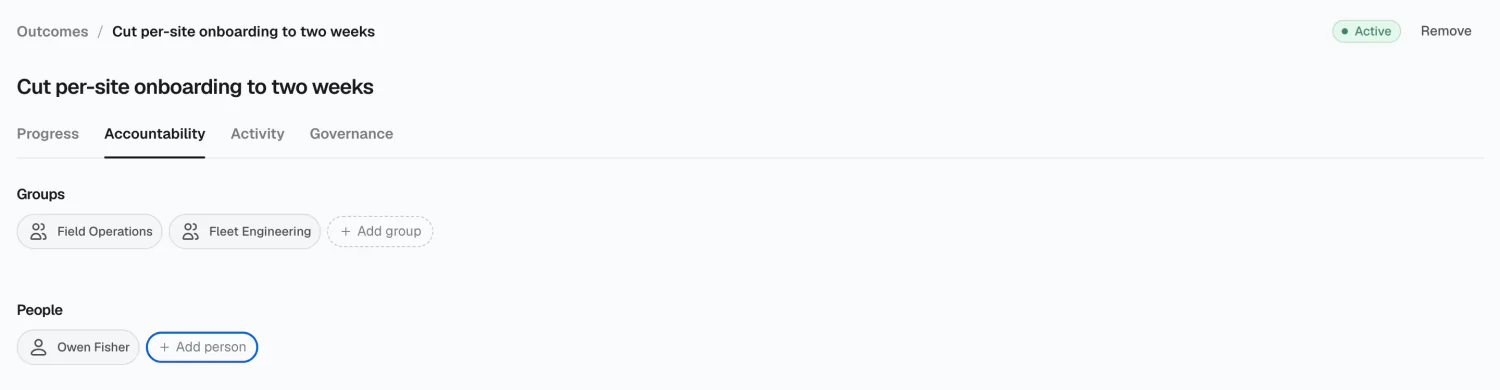
Prefer groups: naming RevOps survives a role change; naming a specific person doesn’t. This is also where a group’s Outcomes list gets populated.
Workflows and outcomes
Section titled “Workflows and outcomes”A workflow can contribute to an outcome, connecting “we automated the renewal brief” to “we’re holding retention above 95%.”
Removing
Section titled “Removing”Remove on an outcome’s detail page deletes it permanently. Deleting a parent doesn’t delete its children — they’re promoted to top-level.
Not available yet
Section titled “Not available yet”2026 Alma