
Schema
Schema defines the kinds of things Alma tracks in Memory — an Account, a Person, a Deployment, a Vendor.
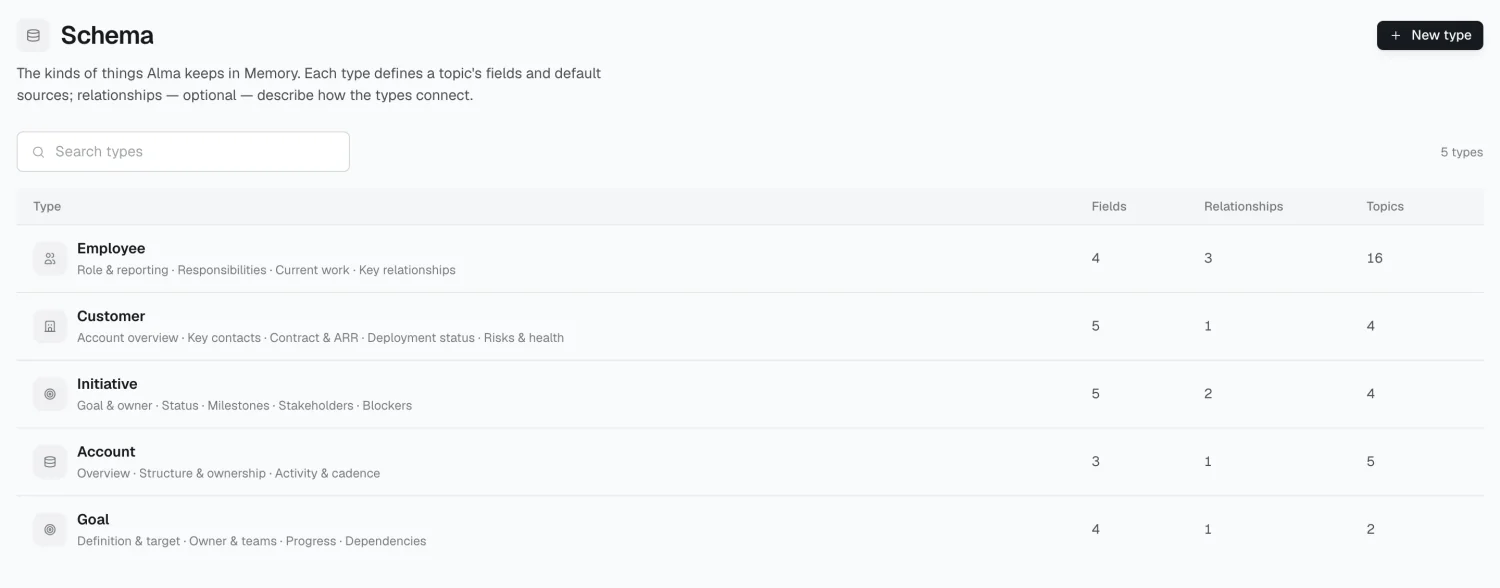
Types and fields
Section titled “Types and fields”A type is a template for topics. It defines:
- Fields — each with a key, name, and an instruction telling Alma what to look for and what counts
- Default sources — which connections feed topics of this type
- Optional relationships to other types
Every topic follows a type, which is why an Account topic has a renewal date and a Person topic doesn’t.
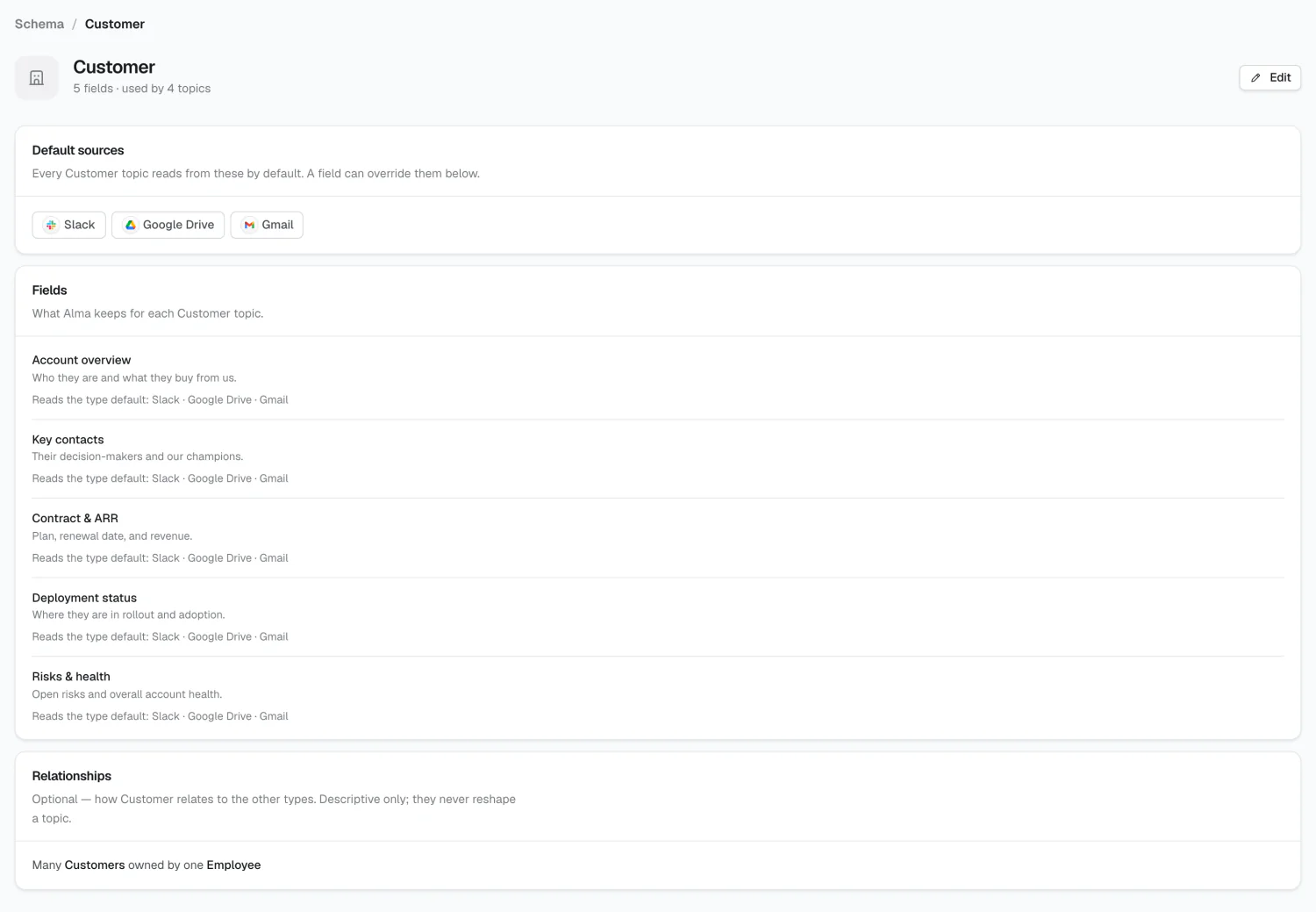
Field instructions
Section titled “Field instructions”The instruction on a field is what Alma reads when deciding whether something in a source is the answer.
A field named renewal_date with no instruction leaves Alma guessing between
the contract end date, the invoice date, and a date mentioned in Slack. An
instruction — “the date the current contract term ends, from the signed
contract, not the invoice date” — resolves that. Per-field sources narrow it
further: if the renewal date only ever comes from contracts in Drive, say so.
Relationships
Section titled “Relationships”Relationships describe how types connect — an Account has many Deployments; a
Person belongs to one Group. Cardinality is one of 1:1, 1:N, N:1, or
N:M. They’re optional and descriptive, not enforced constraints.
Designing types
Section titled “Designing types”Start small. A type with thirty fields mostly produces thirty empty fields. Add the fields you’d actually ask about, with instructions sharp enough that you’d agree with Alma’s answer, and grow from there.
2026 Alma